Practical guide · Trifaar studio
Church Management Systems: The Real Pros, Cons, and Tradeoffs
A clear-eyed guide to what church management software improves, where it creates new risk, and how to decide whether it is worth the cost.
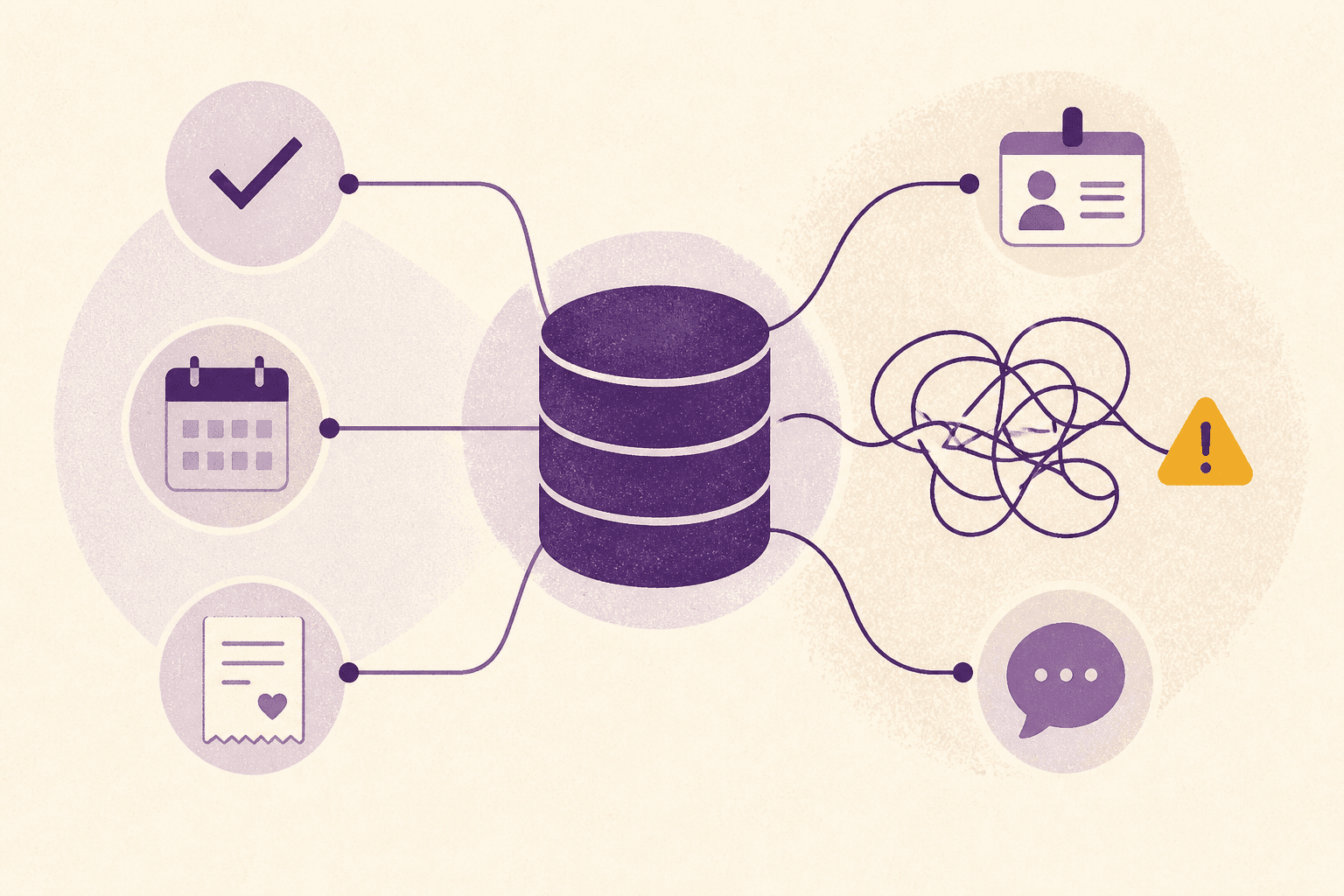
A church management system sounds like a database. In practice, it becomes the place where a church decides what it notices.
That distinction matters. A good ChMS can show that a first-time guest asked for prayer, a volunteer has served four Sundays in a row, or a recurring gift failed. A badly configured one can bury the same signals under duplicate records, vague permissions, and reports nobody trusts.
The software is neither a shortcut to healthy ministry nor an administrative indulgence. It is infrastructure. And like any infrastructure, its value depends on what it connects, who maintains it, and whether people can use it on an ordinary Tuesday.
What a church management system actually does
Most systems combine several jobs that used to live in separate spreadsheets, inboxes, and paper files:
- member and household records;
- attendance and check-in;
- volunteer scheduling;
- groups and pastoral follow-up;
- email and text communication;
- giving records, statements, and fund reporting;
- forms, registrations, and event payments.
Not every church needs every module. The point is not to buy the longest feature list. It is to establish one dependable record of people, activity, and next steps.
The strongest arguments in favor
1. One record replaces several partial versions of the truth
When the children’s team, finance office, and small-groups leader keep separate lists, each list begins drifting on day one. A shared system reduces re-entry and gives staff a common answer to basic questions: Is this person new? Which household are they part of? Did somebody follow up?
That is less glamorous than “digital transformation,” but it is usually where the first return appears. Staff stop reconciling lists and start acting on the information.
2. Repetitive administration becomes a workflow
A useful ChMS can acknowledge a gift, remind a volunteer, route a connection card, and create a follow-up task without someone remembering every handoff. Automation is most valuable when it supports a clear human process. It should make care more reliable, not impersonally replace it.
3. Leaders can see patterns earlier
Attendance alone does not tell a church whether people are becoming connected. Giving totals alone do not explain whether support is broad, recurring, or concentrated in a small group. Connected data makes better questions possible: Are new households returning? Are volunteers quietly burning out? Which campaigns attract first-time donors?
The benefit is not surveillance. It is timely attention.
4. Giving administration becomes cleaner
When the giving platform and member record work together, churches can reduce manual matching, issue consistent receipts, and reconcile funds with fewer spreadsheet detours. In the United States, the IRS says a written acknowledgment for a contribution of $250 or more needs specific information, including the cash amount and whether goods or services were provided. A system can make that process repeatable, though the church remains responsible for configuring and reviewing it correctly.
5. Access can follow responsibility
Proper role-based permissions let a check-in volunteer do their job without seeing giving history, while a finance user can reconcile gifts without opening pastoral notes. This is one of the clearest advantages over shared spreadsheets and shared passwords.
The costs and tradeoffs churches underestimate
1. A ChMS centralizes risk as well as information
A unified database may contain children’s details, contact information, attendance, pastoral notes, and donation history. That makes access control, multifactor authentication, staff offboarding, and vendor security serious governance work.
FTC security guidance recommends limiting access to people with a legitimate need and reviewing that access regularly. CISA likewise recommends multifactor authentication, strong passwords, prompt software updates, and phishing awareness. Those are baseline operating habits, not optional technical extras.
2. Bad data becomes confidently wrong data
Duplicate people, inconsistent household rules, and abandoned custom fields can make polished reports misleading. Migration is not simply moving rows from one database to another. It requires decisions about ownership, definitions, retention, and what should not be carried forward.
Planning Center’s own transition guidance begins with cleaning the CSV and verifying fields before importing. That is good advice for any platform.
3. The subscription price is not the total cost
Budget for payment fees, texting, add-on modules, migration help, integrations, training, and staff time. Then account for the cost of exit: Can the church export people, gifts, notes, workflows, and files in a useful format?
A low monthly price can still be expensive if core work requires several paid products and hours of manual reconciliation.
4. More features can mean less adoption
The most capable system still fails when Sunday volunteers find it confusing or ministry leaders continue using private spreadsheets. Every additional field and workflow creates a maintenance obligation. If nobody can say who owns it, it will decay.
5. Software can formalize a poor process
Automating an unclear follow-up process makes confusion move faster. Before configuring a workflow, write down the real-world handoffs: what triggers action, who owns it, how quickly it should happen, and what “done” means.
A practical way to decide
Use five real scenarios instead of a generic demo:
- A new family completes a connection card and asks about children’s ministry.
- A volunteer cancels two hours before a service.
- A donor’s recurring payment fails.
- A household asks for its annual giving statement.
- A staff member leaves and must lose access immediately.
Ask each vendor to run those scenarios end to end. Count the handoffs, exports, duplicate entries, and permissions involved. Then let the people who will actually use the system score the experience.
The honest verdict
A church management system is worth it when it reduces clerical drag, protects sensitive information, and helps people receive more consistent care. It becomes a liability when the church buys it without process owners, security habits, or a plan for data quality.
The best system is rarely the one with the most modules. It is the one a church can govern well, use consistently, and leave without losing control of its own history.