Practical guide · Trifaar studio
Vibe Coding Is Great for Prototypes—Here’s What Must Happen Before Production
A practical production checklist for turning a fast AI-built prototype into software with dependable permissions, data, tests, security, monitoring, and recovery.
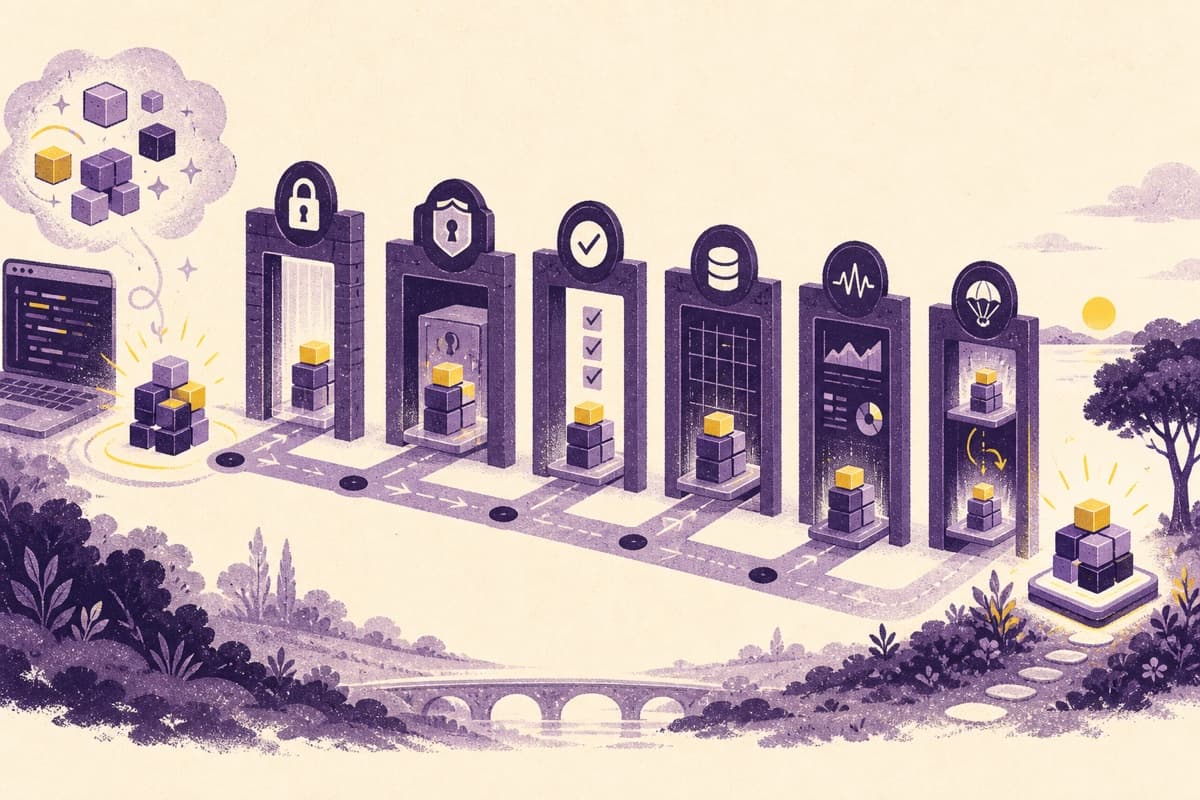
Vibe coding has changed who can make software. A founder can describe an idea, connect a database, generate an interface, and put a working prototype in front of users without waiting for a conventional development cycle.
That is a real advantage. It is also where expectations become dangerous.
A prototype proves that a journey can work. Production software must prove that the journey keeps working when accounts conflict, payments retry, dependencies change, traffic spikes, a user loses access, or an attacker looks for the shortcut the happy-path demo never exercised.
The right response is not to dismiss AI-assisted development. It is to add the engineering work that makes speed safe.
1. Confirm who can do what
Authentication answers who the user is. Authorization decides what that user may see and change. Vibe-coded applications often implement the first and leave the second implicit.
Test permissions on the server, not only by hiding buttons in the interface. A customer should not be able to request another customer's record by changing an ID. An ordinary team member should not gain administrator access by editing a request. In a multi-tenant SaaS product, every database query needs the correct organization boundary.
2. Remove secrets from the browser and repository
API keys, database credentials, payment secrets, and signing keys do not belong in client-side code or source control. Public environment-variable prefixes are meant for values that can safely reach the browser.
Before launch, inspect repository history as well as current files. Rotating an exposed credential matters more than deleting the line that contained it. Add secret scanning and define separate credentials for development, preview, and production.
3. Treat AI-generated code as a proposal
Generated code can look plausible while misunderstanding the existing architecture or omitting an edge case. GitHub's own guidance says AI-generated code should be reviewed and tested, particularly for critical or sensitive applications.
Review for more than syntax:
- Does the change enforce the intended permissions?
- Are inputs validated at the system boundary?
- Can retries create duplicate records or charges?
- Are errors handled without exposing internal data?
- Does the dependency actually exist and remain maintained?
- Is the code consistent with the rest of the system?
AI can also help review, but it should not be the only reviewer of code produced by AI.
4. Put the database under constraints
An attractive interface cannot compensate for ambiguous data.
Define unique constraints, required fields, relationships, deletion behaviour, indexes, and migration procedures. Validate data again on the server. Decide how an incomplete workflow is represented instead of assuming every record reaches the final step.
For payments, bookings, inventory, or compliance records, model explicit states. “Pending,” “confirmed,” “failed,” “refunded,” and “cancelled” should not be inferred from whichever fields happen to be present.
5. Test the paths users do not intend to take
Happy-path testing asks whether a new account can complete the main workflow. Production testing asks what happens when:
- a request is submitted twice;
- the network disappears after the user presses the button;
- the payment succeeds but the callback is delayed;
- an uploaded file is too large or the wrong type;
- two people edit the same record;
- a user opens an expired link;
- a dependency or model provider times out.
Start with automated tests around permissions, money, destructive actions, and core business rules. Add end-to-end coverage for the journeys that would be most costly to break.
6. Scan dependencies and generated changes
Fast prototypes accumulate packages quickly. Remove unused packages, lock versions appropriately, review install scripts, and run dependency and code scanning in continuous integration.
NIST's Secure Software Development Framework recommends integrating secure practices into the development lifecycle rather than bolting them on after release. That applies regardless of whether the code began with a person, an assistant, or both.
7. Build an operational exit
Production readiness includes the ability to recover.
Set up structured logs, error reporting, uptime checks, database backups, deployment history, and a rollback process. Define who receives an alert and what information they need. Test restoring a backup before assuming the backup strategy works.
DORA's research on AI-assisted development is a useful warning: faster creation can increase delivery throughput while also increasing instability. The constraint often moves from writing code to reviewing, testing, and operating it.
8. Check the experience beyond your own laptop
Test real mobile widths, slow connections, keyboard navigation, screen readers, form errors, password-manager compatibility, and browser differences. W3C guidance emphasizes clear labels, useful error handling, and short forms because accessible forms are easier for everyone to complete.
A practical launch decision
A vibe-coded product does not need to be perfect. It needs known boundaries.
Before launch, write down what has been tested, what remains risky, what data the system holds, which actions are reversible, and what the team will do when something fails. If those answers depend on the AI tool “probably handling it,” the product is not ready yet.
How Trifaar can help
Trifaar provides production-readiness audits for AI-assisted and traditionally developed products. We review architecture, authorization, data design, security, tests, deployment, observability, and the critical user journeys. The outcome is a prioritized keep, repair, and replace plan—not an automatic recommendation to rebuild everything.
Our flexible credit model also lets a client use the same delivery balance across UI/UX, software engineering, senior engineering, DevOps, and AI specialists as the work changes.